Most small business owners do not struggle because they have no ideas. They struggle because posting competes with everything else in the business. You plan to post in the morning, customers show up, and content moves to tomorrow again.
A scheduler helps, but only if you have content ready to schedule. The real workflow is: idea, draft, visual, caption, hashtags, then timing. If each part lives in a separate tool, scheduling still feels like extra work.
What a Scheduler Should Actually Do
A useful scheduler for a small business is not just a calendar. It should help you create and queue content in one flow, then let you place it across the week without friction.
- Batch creation: create several posts in one focused session instead of starting from zero every day.
- Channel-ready output: captions, visuals, and hashtags prepared before scheduling.
- Calendar visibility: see your week and spot gaps before they become silent days.
- Fast adjustments: move dates, rewrite copy, or refresh visuals without rebuilding everything.
A Simple Weekly Scheduling System
1. Pick one weekly creation block
Set aside 30-60 minutes once a week. This is where you draft everything for the next seven days. Even a small batch of three to five posts gives you consistency.
2. Generate content in batches
Use one prompt per campaign or offer, then iterate quickly. For example: one post for a promotion, one educational post, one behind-the-scenes update.
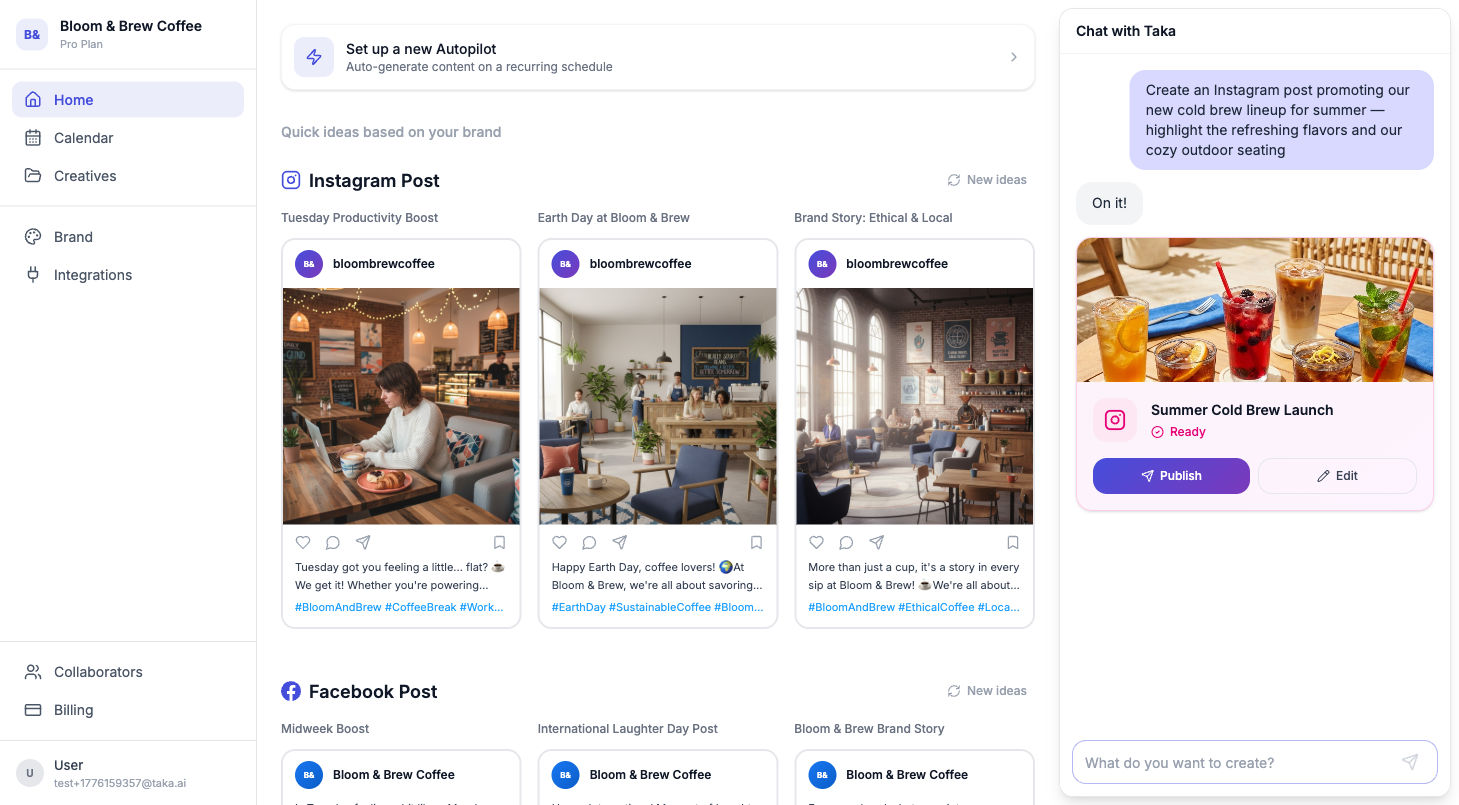
3. Refine before placing on calendar
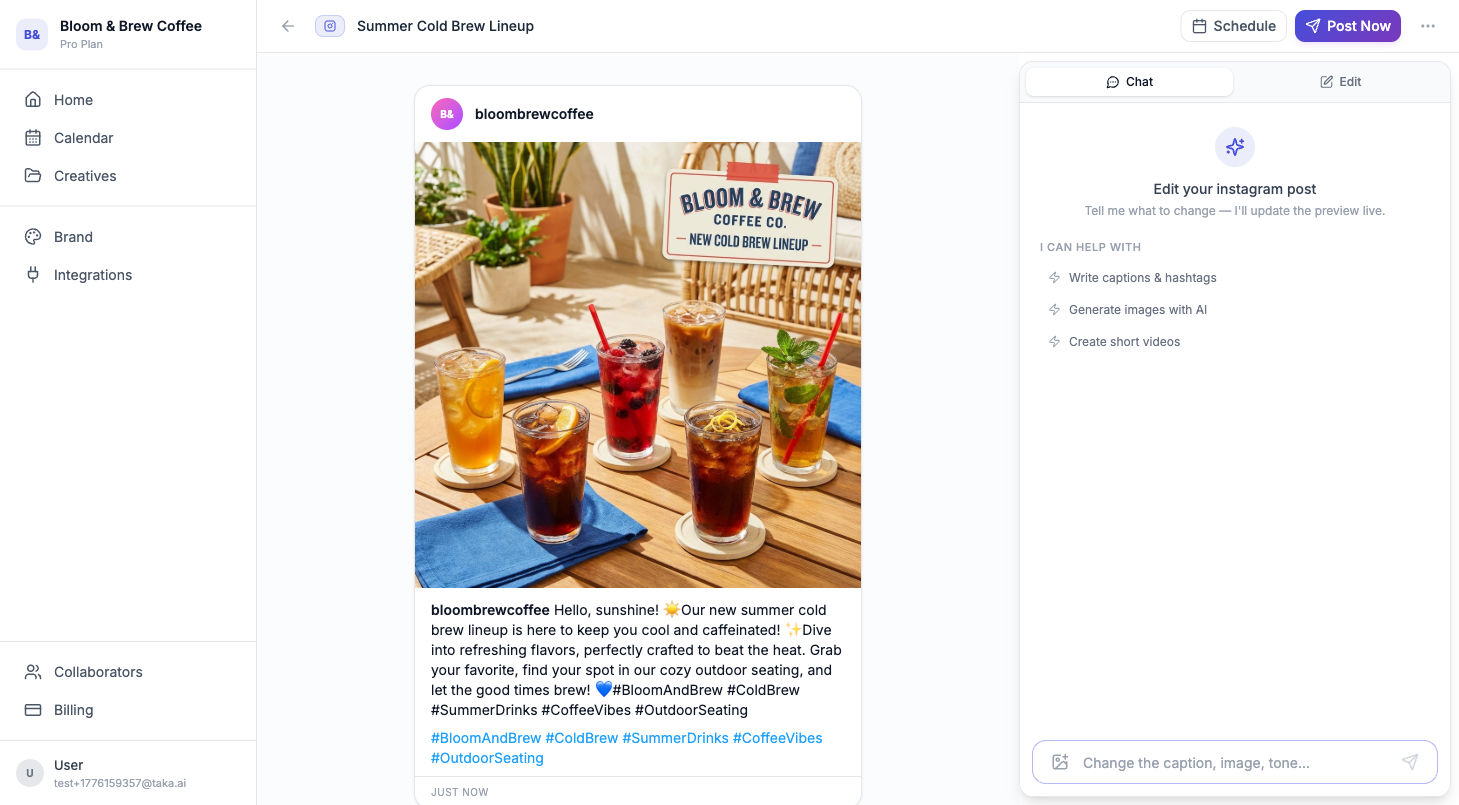
Tighten captions, confirm calls-to-action, and make sure each post has a clear purpose. Small edits at this stage prevent rushed fixes later.
4. Schedule and spread content types
Do not stack the same kind of post back-to-back. Alternate promotional posts with value posts so your feed stays balanced and useful.
Common Scheduling Mistakes
- Scheduling empty slots, not strategy. A full calendar is not enough if posts have no purpose.
- Overloading one day. Spread posts through the week to keep consistency.
- Ignoring brand voice. Fast posting can drift into generic copy if you do not anchor tone and audience.
- No review checkpoint. A five-minute final pass catches unclear CTAs and visual mismatches.
Where Taka Fits In
Taka helps combine creation and scheduling workflow in one place: generate posts, refine them through chat, and schedule them on your calendar. The goal is not just to post more. It is to stay consistently visible without spending your whole week on content.
A social media scheduler works best when it is connected to content creation, not separated from it. Batch once a week, refine quickly, then schedule with a clear mix of post types. That is how small businesses stay consistent without burning time.